Captain for Mac New in 0.8.8
In Mail, a PDF, a spreadsheet, a terminal, anywhere. Captain reads what's on screen, takes your selection as what you mean, and sends it with what you type or say to the agent that knows the work. The answer comes back in a panel beside you, and Paste into Mail puts it where you were.
A menu-bar app for macOS 14 and later, Apple silicon and Intel. It talks to your own Flight Deck.
Alone, for 3 seconds. A ring fills by the pointer. Any other key cancels it, so fn shortcuts keep working. Or click the menu-bar icon, or a floating button.
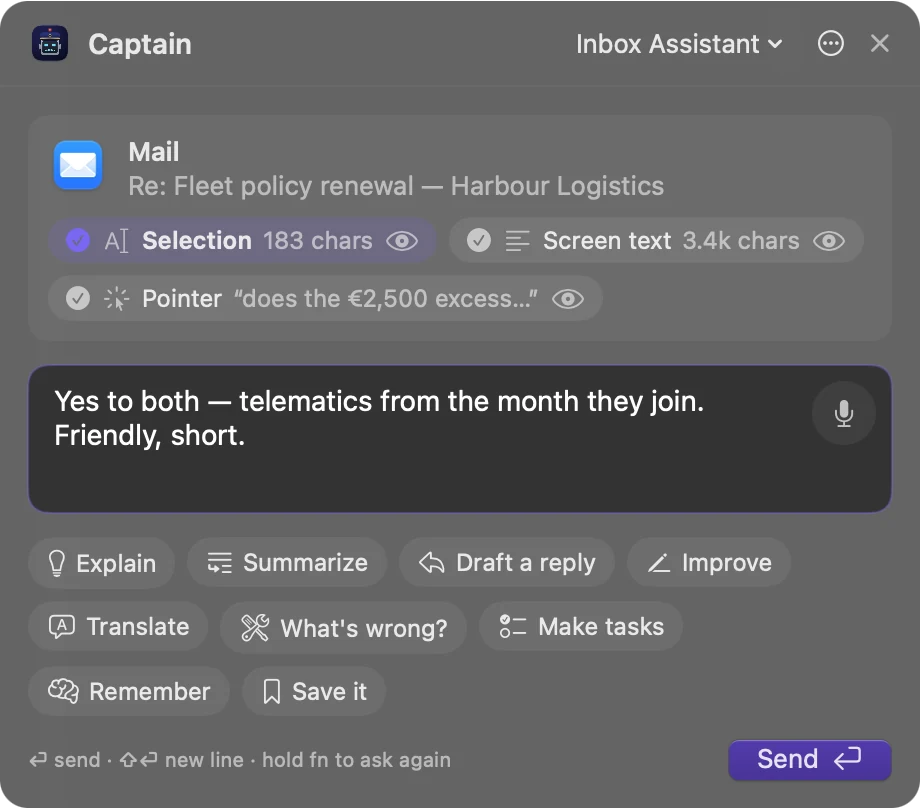
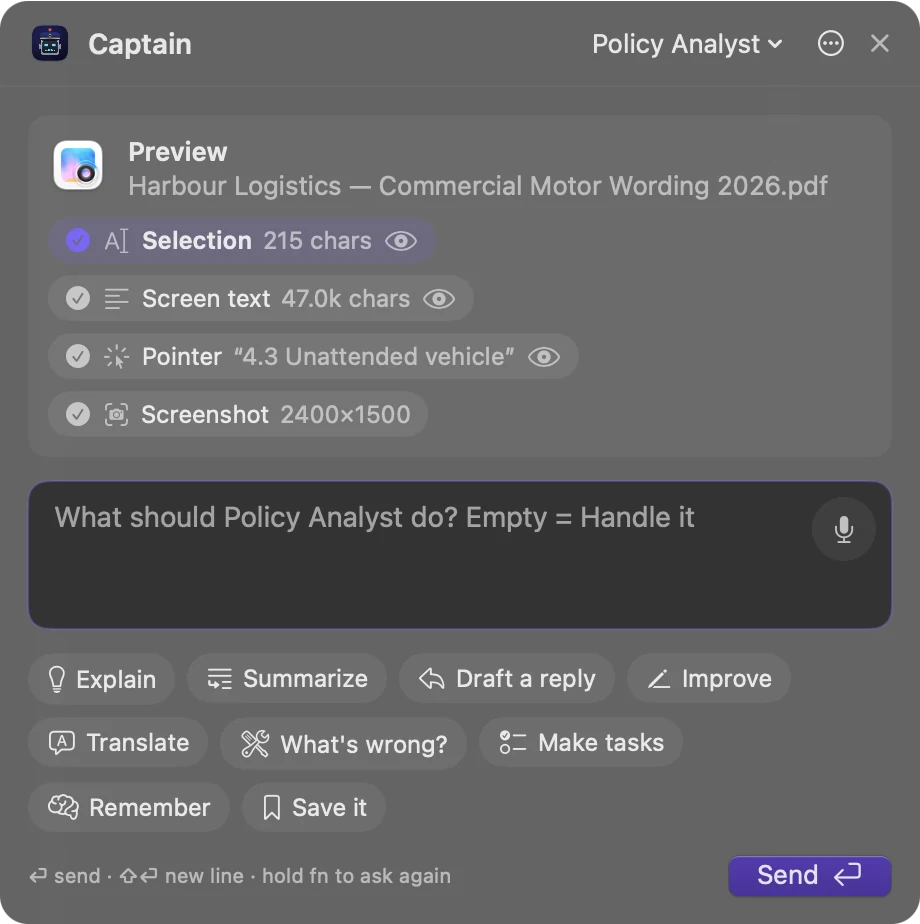
The app you were in stays the active one. The panel shows what Captain read, as chips you can switch off or look at.
The mic, or have it listen as it opens. A pause ends it, or letting go of the key. Left empty, the agent decides what's useful.
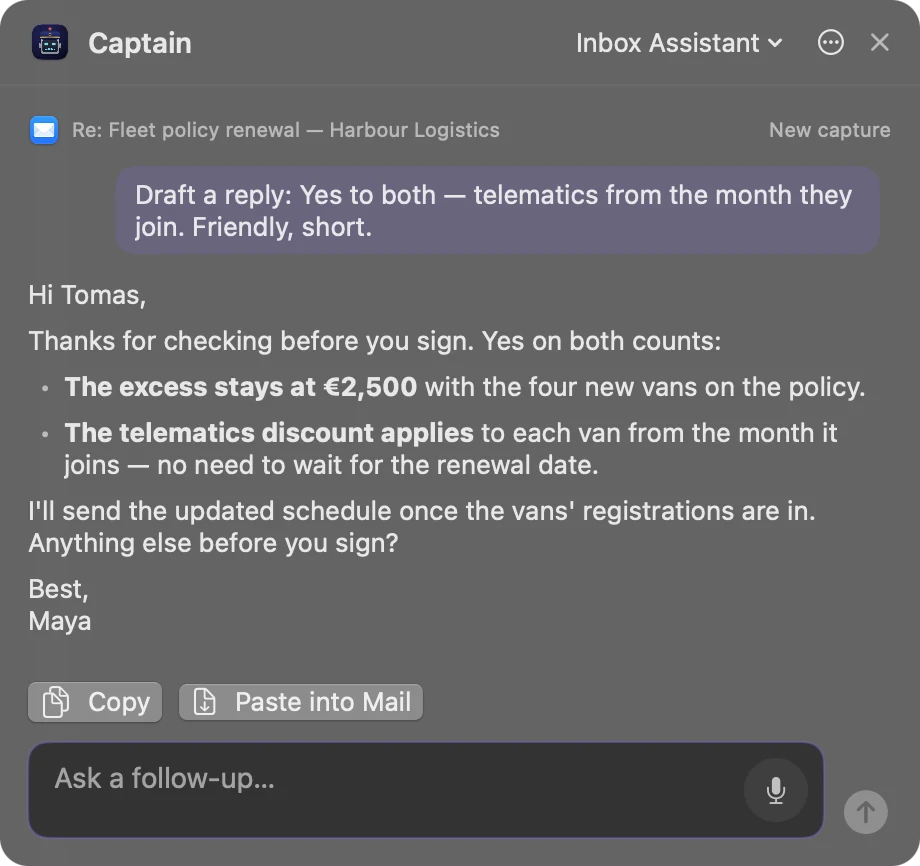
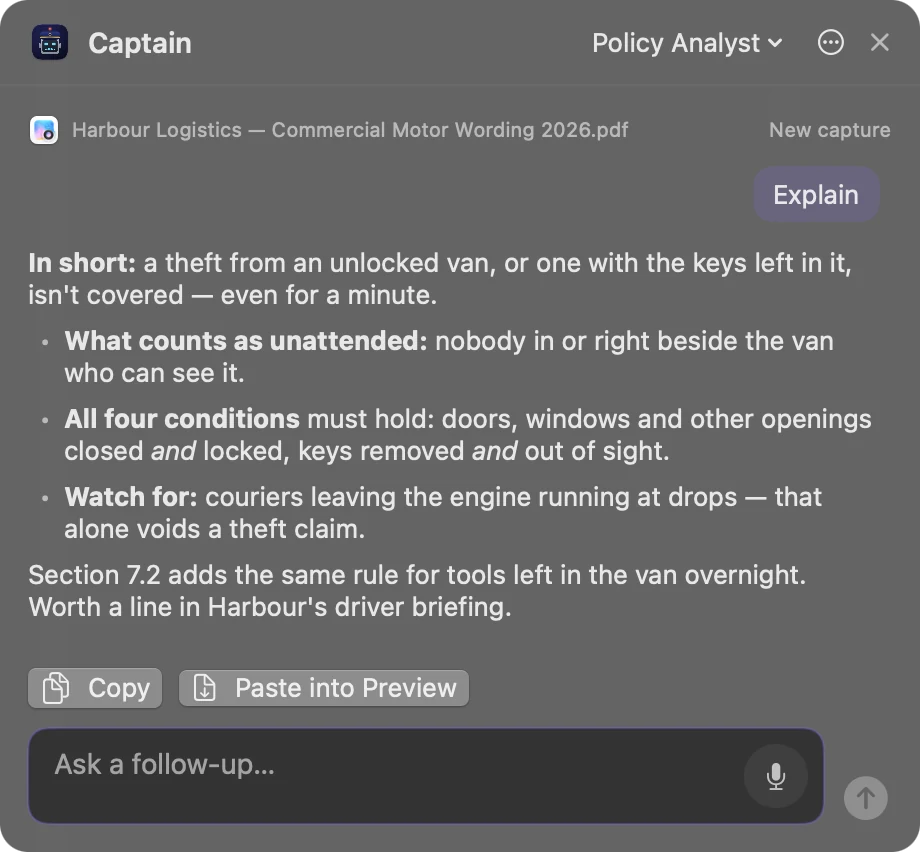
Its steps and the answer as it's written. Copy it, paste it back where you were, or ask a follow-up.
The key, the hold time (half a second to five) and the voice are in Settings. One-click actions: Explain, Summarize, Draft a reply, Improve, Translate, What's wrong?, Make tasks, Remember, Save it.
What it reads Through Accessibility
It lands in your vfs:screen-clips/ shared folder and in the agent's chat, as your words. The capture is marked as screen content, never your instructions.

A draft for the email you were answering, pasted into your reply. The clause you selected, in plain words, with what to watch for. Ask a follow-up about the same capture, or press fn again for a new one.
The real app's panel, with made-up mail, wording and people.
Download it from GitHub or from your deck's Connections → Browser. It needs a Flight Deck on 0.8.8 or later.
Captain for Mac 0.1.1 (.zip, 2 MB, from the GitHub release), or Connections → Browser → Download Captain for Mac. Unzip it and move it to Applications.
It isn't notarized yet. If macOS won't open it, go to System Settings → Privacy & Security and press Open Anyway.
That's the one it needs. Screen Recording, the microphone and speech recognition only for the screenshot, OCR and voice.
Type your deck's address in its Settings and approve the code in Flight Deck. The token sits in your Keychain; disconnect it any time.
Where your words go: speech is Apple's recognition, on the Mac when you tick Only on this Mac and the language allows it. What Captain read goes to your own deck and agent, nowhere else, and only when you send it. Each piece is a chip you can leave out.
All downloads · Captain for Mac docs · The app's README · Captain for Chrome for pages in your browser
Keep reading
Join the waitlist for Cohort 001, our first early-access group, and you'll get an email when you're in. Or run Captain on your own machine today.