Crew New in 0.8.5
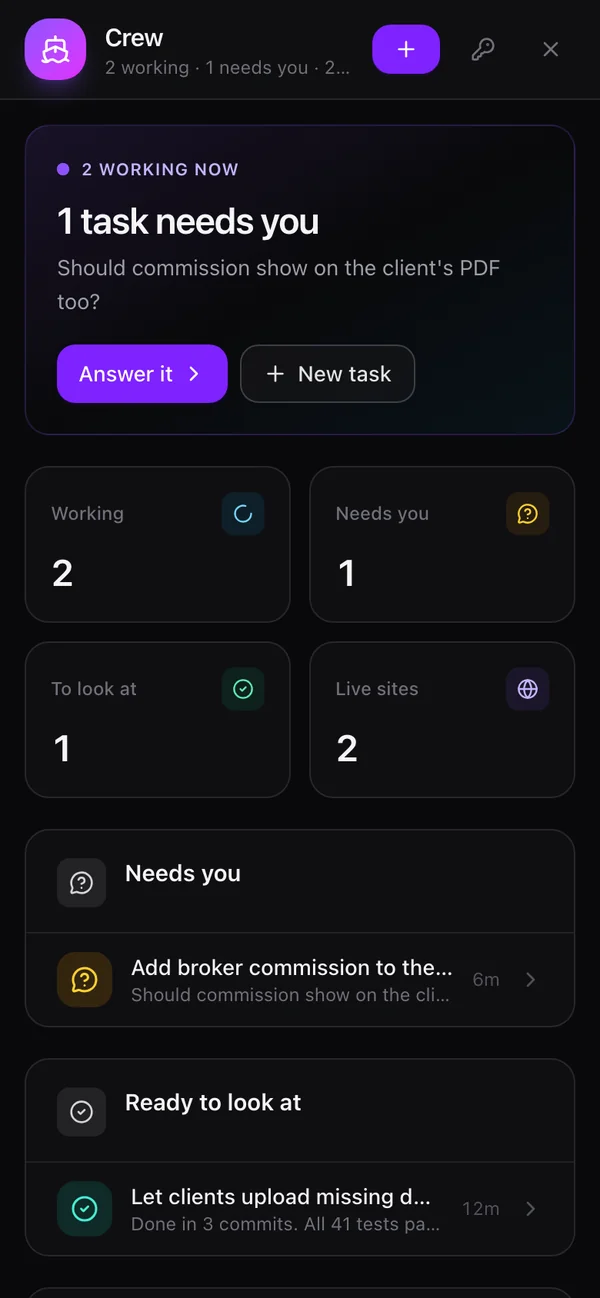
Claude Code, Codex, OpenCode and Pi, each in a git worktree of its own, several at once. Tell your agent "have Codex fix the login test and Claude add dark mode", from any channel, or use the Crew page. Captain watches them without spending tokens, and tells you when one finishes or needs a decision.
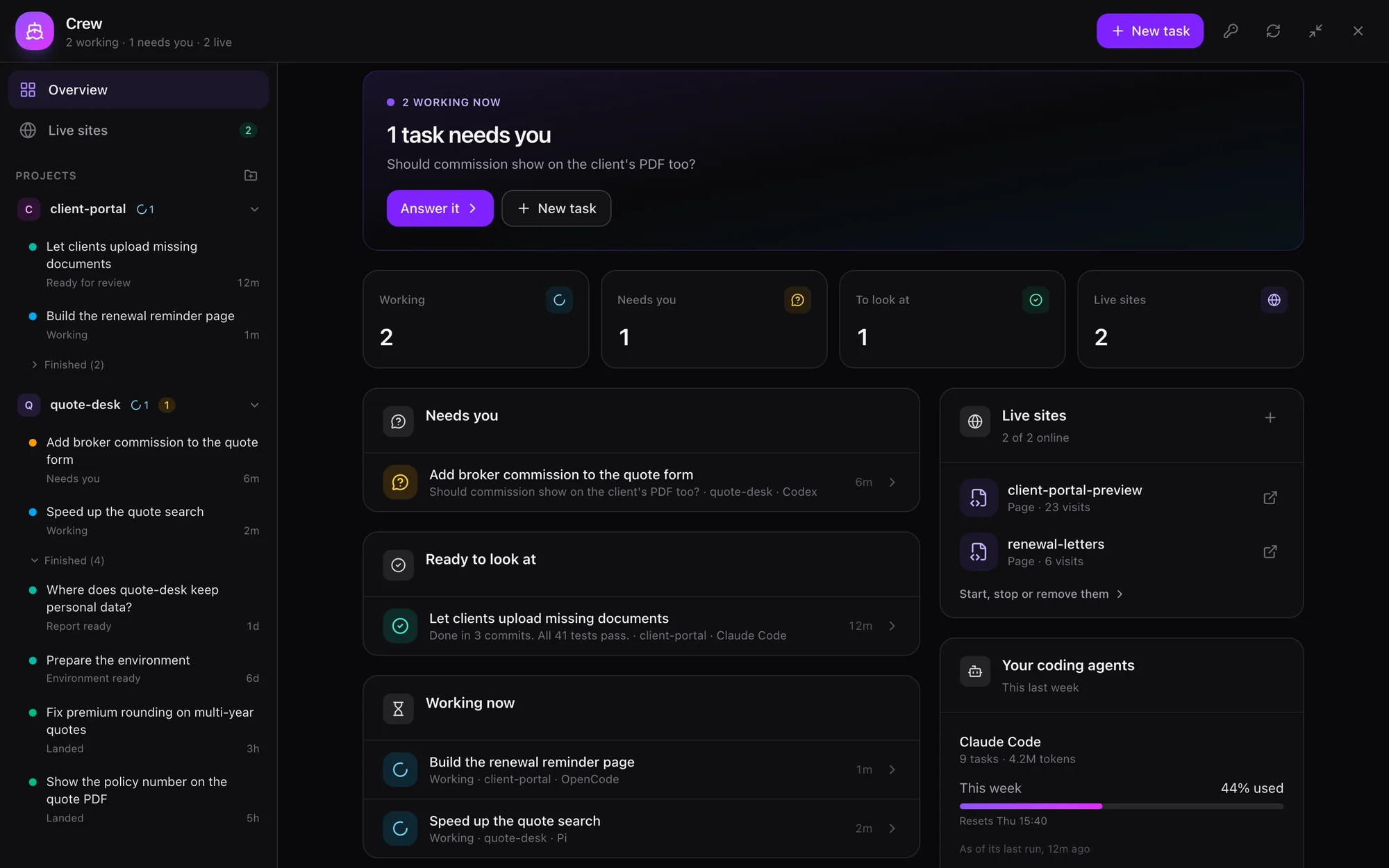
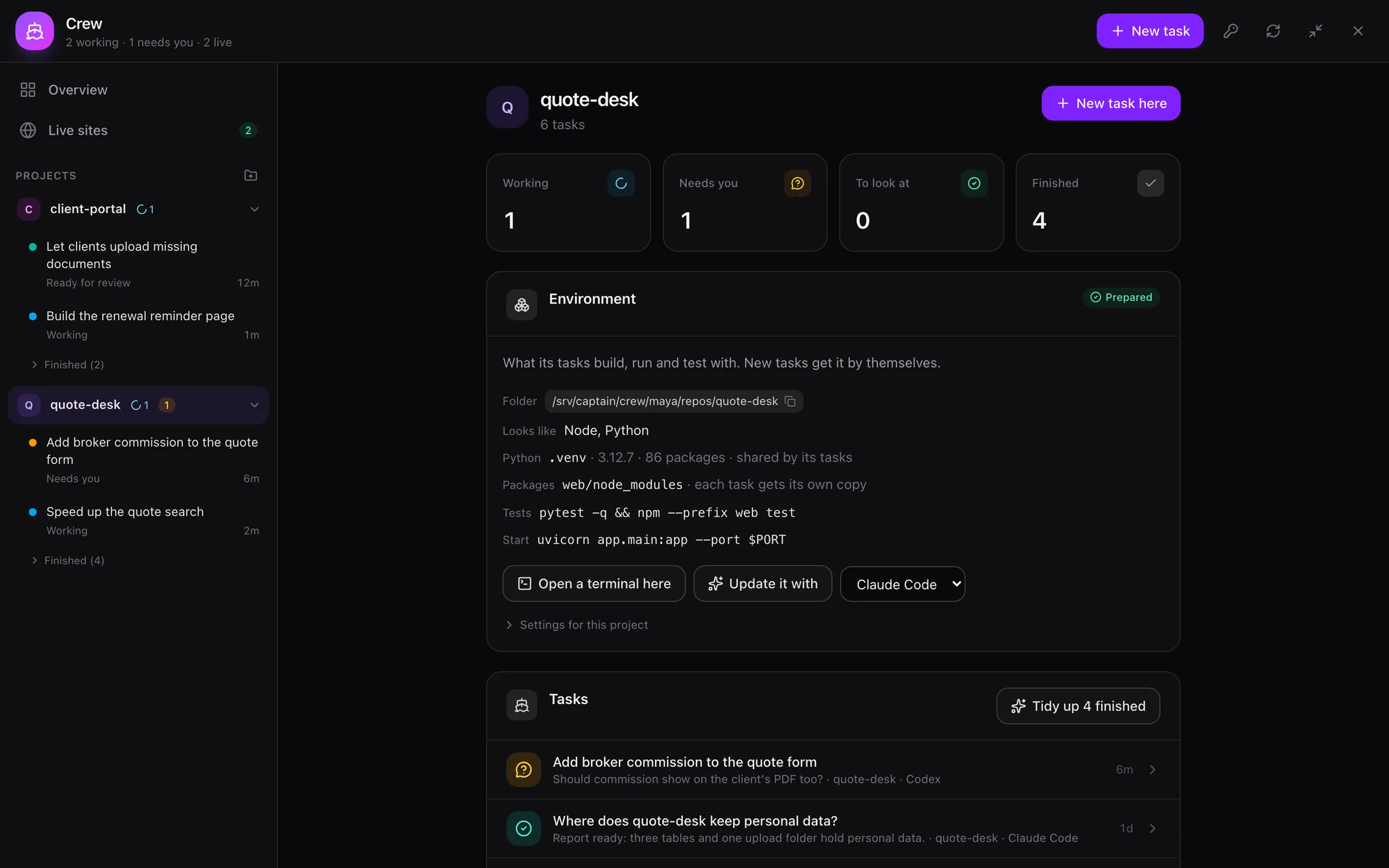
The real interface, with made-up people and data.
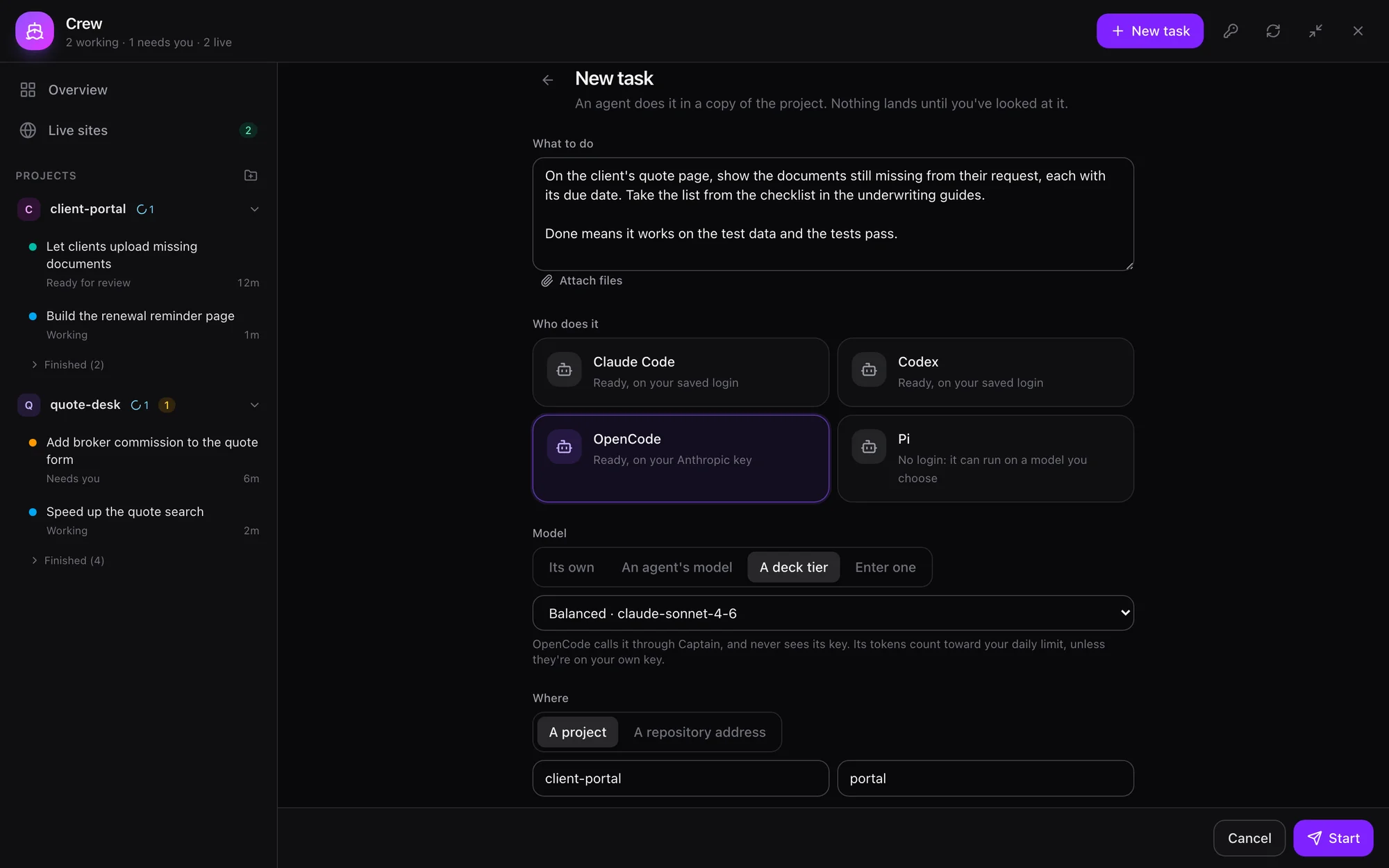
From a sentence in a chat to work you can land, and nothing lands by itself.
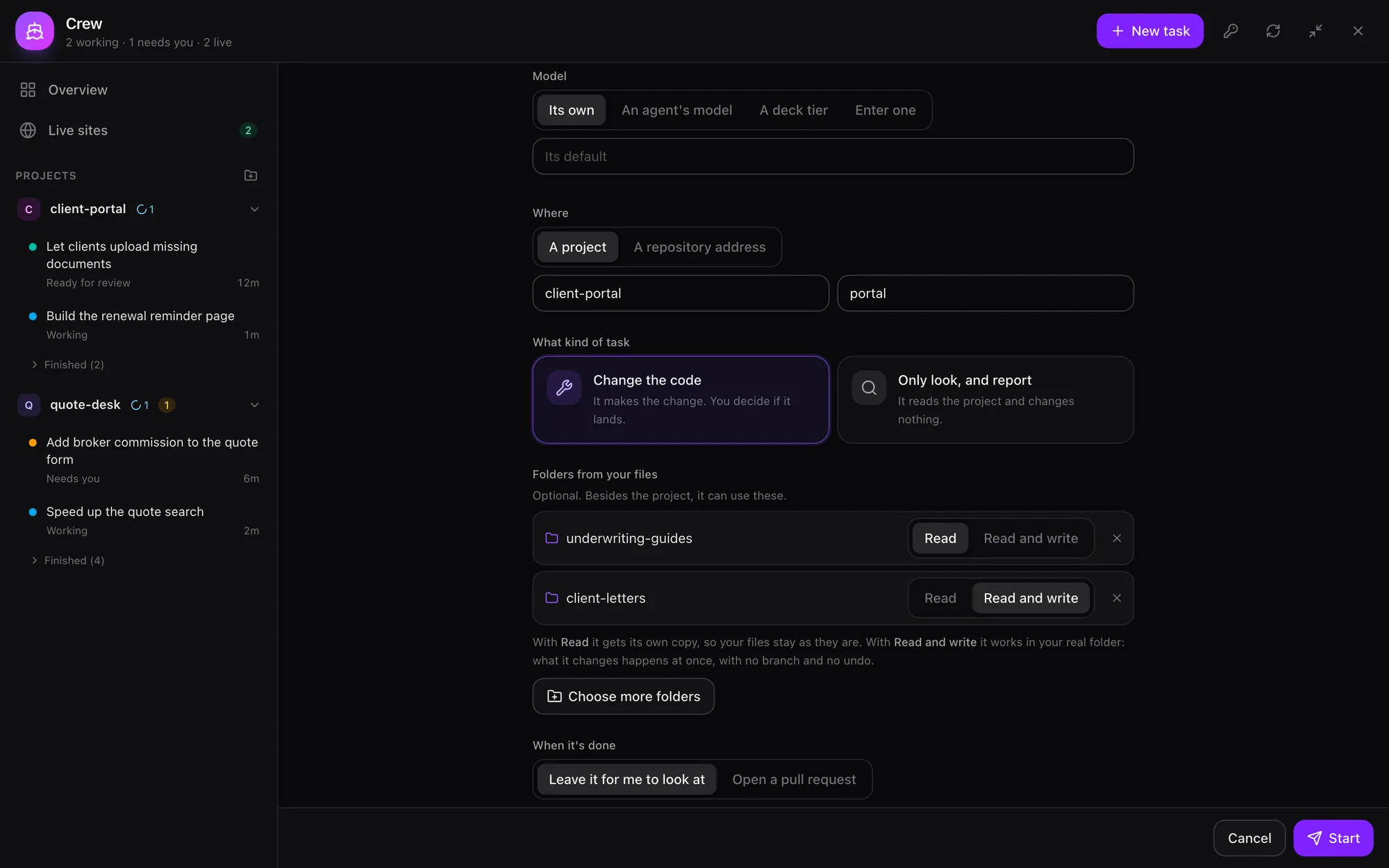
Tell your agent, or press New task. Pick a CLI and say what's wanted. Change the code works on a branch, and Only look, and report changes nothing.
A project, a repository address, or for an admin a folder on the server. Crew clones an address itself, in the background, so a big repository holds nothing up.
The CLI's own login, OpenCode's free models, one of your agents' models, a team tier, or a server you type in.
A git worktree, its own ports and temp folder, the files you gave it, the folders you ticked, and the project's environment.
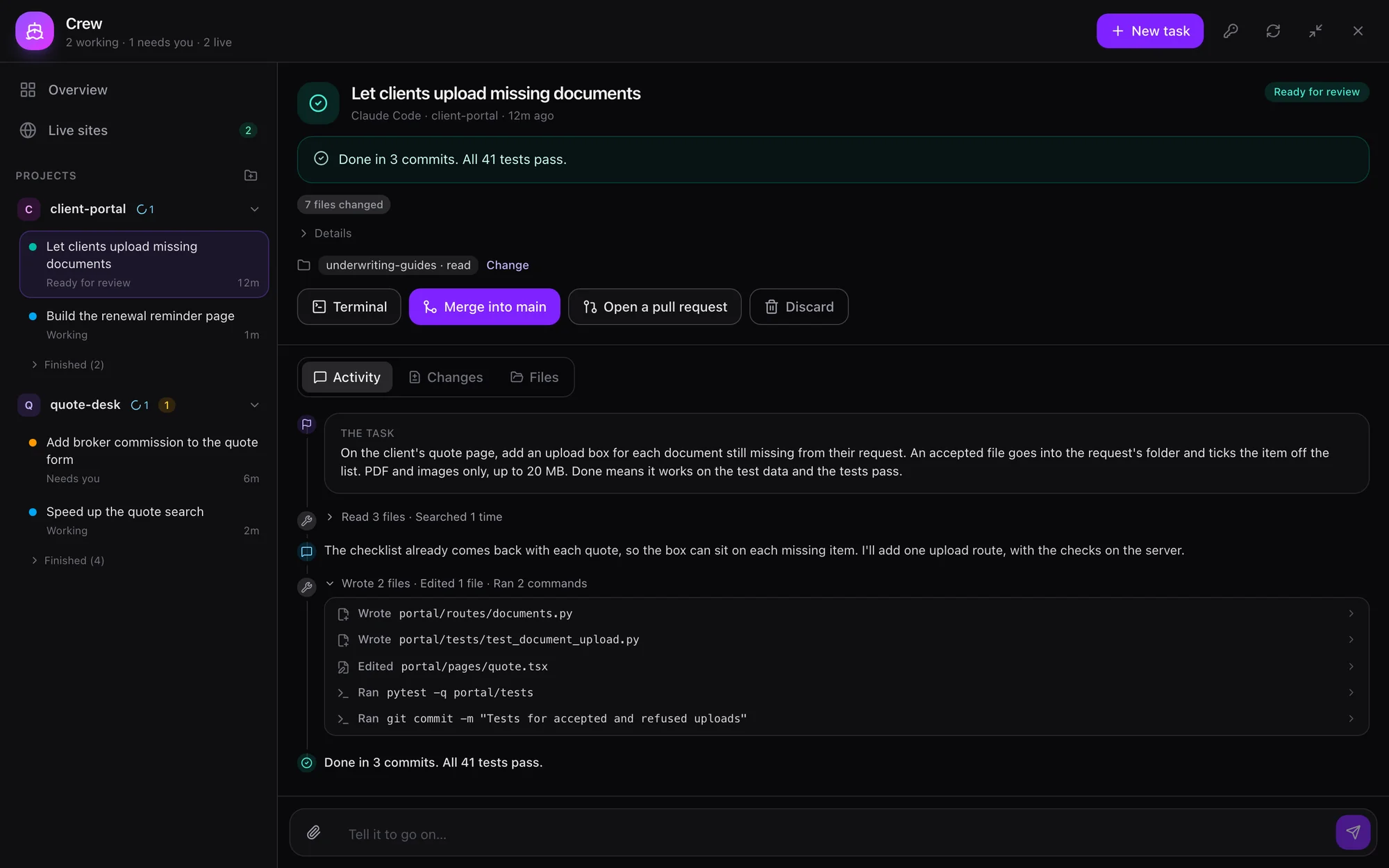
Captain watches from disk, at no token cost. A worker outlives a deck restart, and you can step in at any point.
It's called back on the channel you asked from. The results reach your files, under vfs:crew/<project>/<task>/, where it can read them.
Merge is a button, or an Approve in the bell. Captain pushes and opens the pull request. Work that hasn't landed stays until you say otherwise.
Models Any of them
Point a worker at an agent's model, a team tier or a server you type in, and the CLI needs no login. It gets the deck's address and a key good only for its current turn. A worker told to print its environment has nothing to print, so a team's key is safe to use this way.
Through the deck, tokens count toward your daily limit the way an agent's do: only what missed the prompt cache, plus output. Keys you bring yourself don't count.
A worker can only use what reaches its folder, and only test what's installed.
Paste a screenshot, drop files or use the paperclip, on New task and in any later message. Or send your agent the screenshot and say "have OpenCode fix this".
Read is its own copy, remade before each turn, because one CLI wrote straight through a read-only link when we tried it. Read and write is the real folder, at once, with no undo.
Prepare it once, by hand or with a worker that works out what's needed and reports the test command. Every later task gets its own instant copy of package folders.
A shell in a project's folder or a task's own, with the same home and tools as your workers and none of their logins. It keeps running if you leave the page.
Captain never runs anything a repository brings with it: only what's in the project's settings, which you see.
Quiet is fine. A CLI can say nothing for minutes while its model writes one long reply.
It stops what the worker is doing, including any command it had running, and it goes on with your message. Its files stay. After this turn waits instead.
After a minute with nothing new, the page says what it's waiting on: the model writing its reply, a command running, or a failed call being retried.
Each CLI asks again by itself, and that shows as a grey note. If it gives up, Captain starts it again from where it stopped, up to three times. A refused key or a spent limit isn't retried.
The same brief for the same CLI in the same place is the same task, not a second worker, while the first is still active.
Your agent can ask for a merge. It can't do one. Its report says what git shows, not what a worker claims.
Crew is off for everyone but admins until an admin ticks it per person: which CLIs, and how many at once. Withdrawing it stops what's running at once.
FD_CREW=off turns Crew off for the whole deck. Approving someone trusts them with the server. A worker runs as the same system user as the deck, so it can reach what that user can, including other people's files. No OS sandbox holds it to its worktree yet, apart from Codex's own.
Merging is enforced at the crew tool: a non-admin's agent has no other way, but an admin's agent has a shell, so for it that's a rule it's told, not one it can't break.
· The team checklist
Everything on the page your agent can do from a chat with the crew tool: start a task, clone a repository, prepare an environment, steer a worker, hand it files and folders, or run it on its own model. A key is the one thing it never takes through a chat.
Crew docs · Forge agents has Crew build the software a team needs · Code is Captain's own pipeline
Join the waitlist for Cohort 001, our first early-access group, and you'll get an email when you're in. Or run Captain on your own machine today.