Your planner on the VPS asks Researcher@pi at home. The request flies through your hub, and the answer streams back
with live progress, as if both sat on the same deck. A Raspberry Pi, a laptop, a server: every deck dials out, so only the hub
needs to be reachable.
Planner@vps1wssBotPort hubwsResearcher@pi
consult · "Which folders on the home server grew this week?"Researcher@pi · reading the request…the answer streams back · 8 s
hub.example.com · BotPort
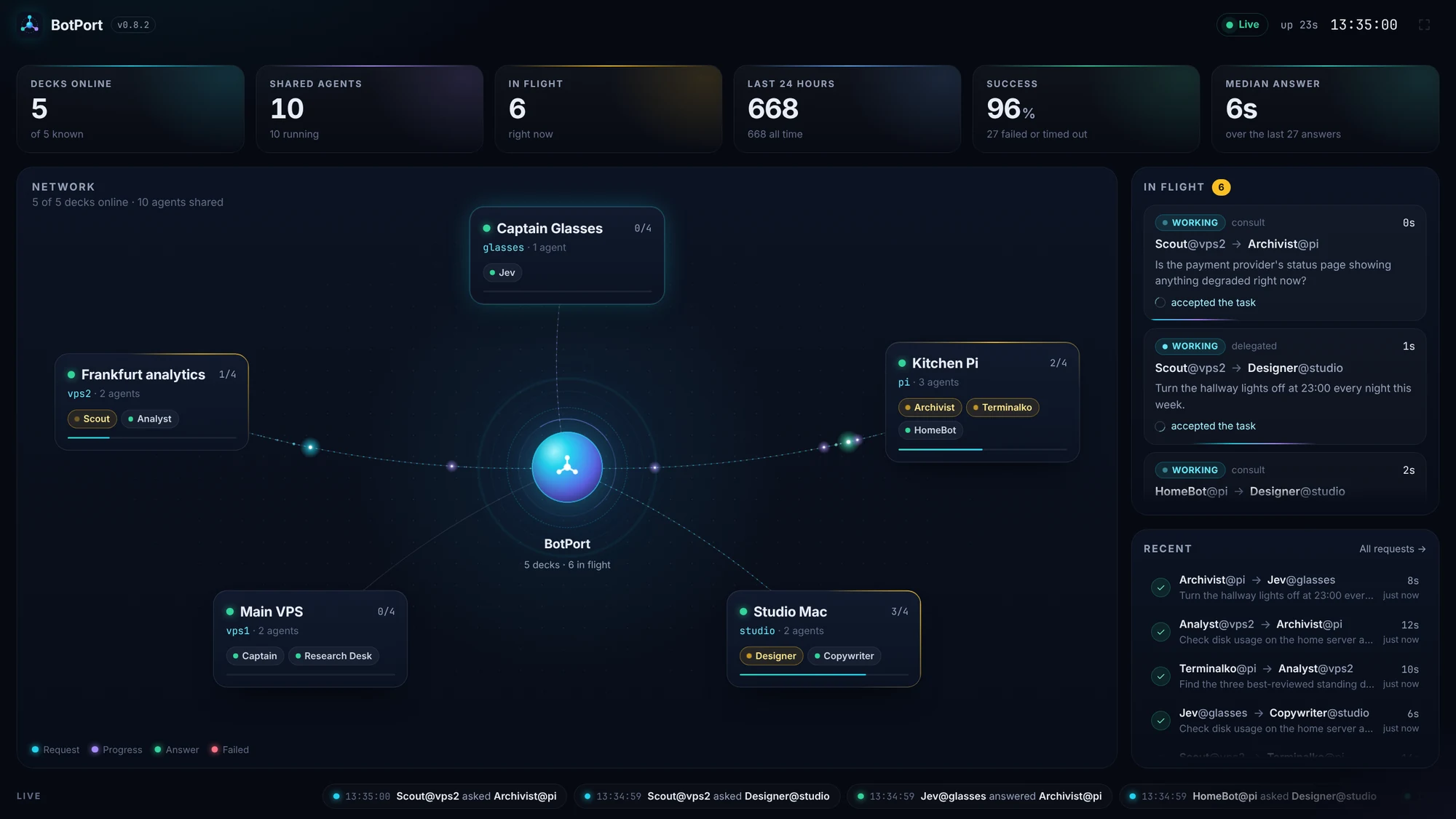
The hub's dashboard, live:requestprogressanswerfailed
Agent@deck
Ask any shared agent on any deck by its address. Consult for a quick answer with live progress, or delegate and get the result in chat.
Every deck dials out
A Pi behind home NAT or a laptop joins as easily as a server. Only the hub has to be reachable: Tailscale, a tunnel, or its own TLS.
Built not to lose work
Decks reconnect, answers wait for a requester that dropped, a worker that dropped gets time to come back, and resubmission is idempotent.
Safe by construction
A request from another deck runs in a lane of its own. It never sends email or triggers Flows, can't fan out further, and obeys your deny list.
BotPort The hub's Decks page
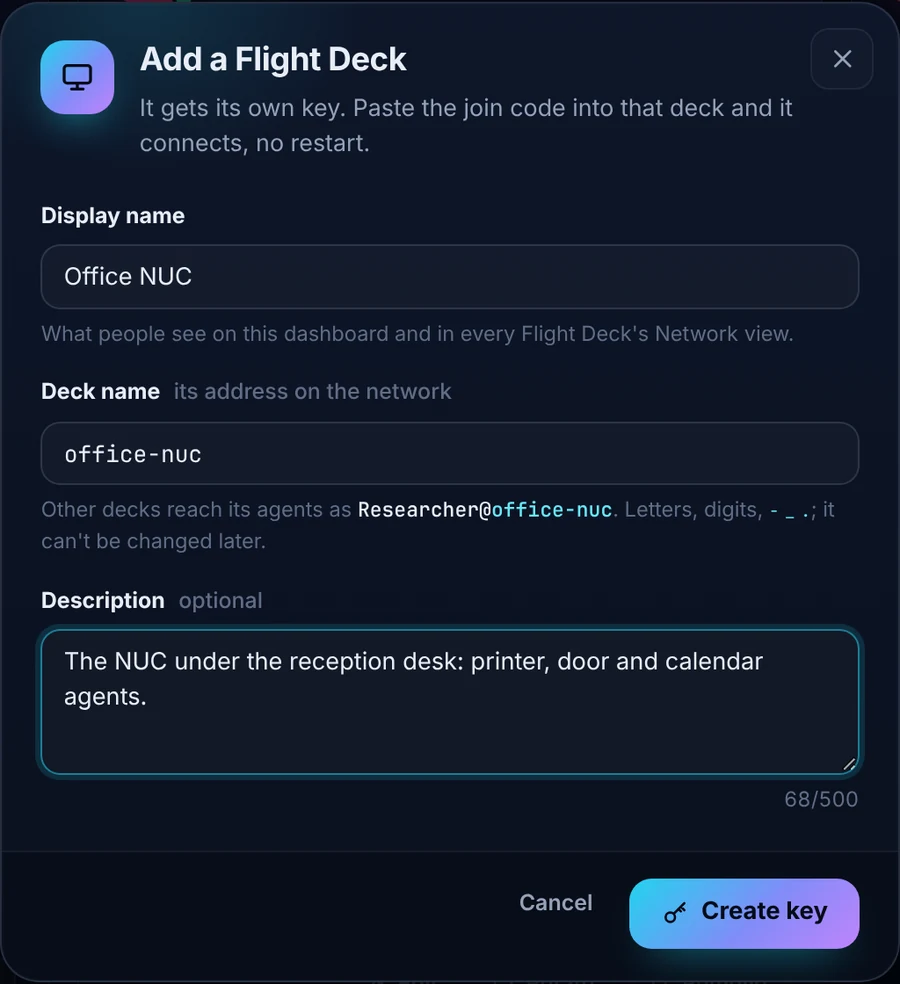
Add a Flight Deck in a minute. No restart.
1
Name it on the hub
A display name, its address on the network, what it's for. The hub makes its key.
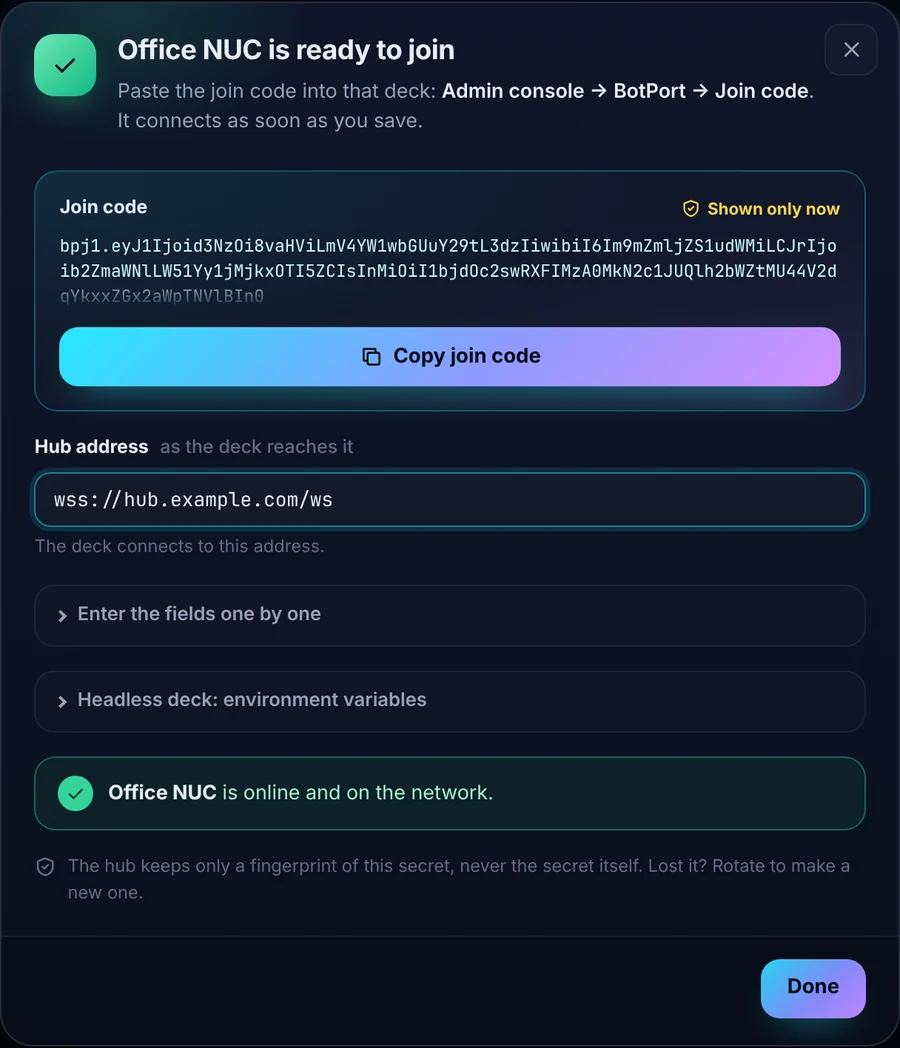
2
Copy the join code
Address, name, key and secret in one line, shown once. The hub keeps only a fingerprint of the secret.
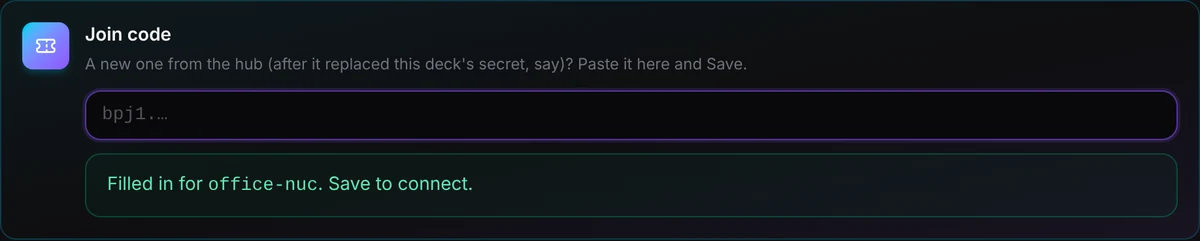
3
Paste it into the deck
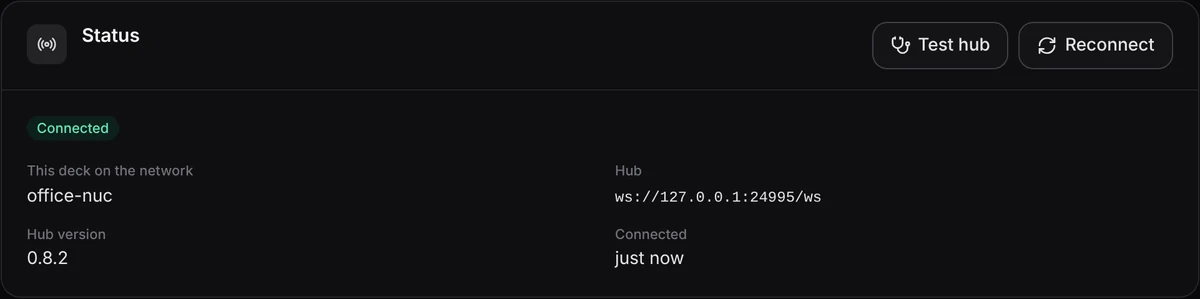
Admin console → BotPort → Join code → Save. It connects, and the hub's dialog turns green.
Kiosk mode The hub on a TV
Put your agent network on the wall.
The hub's dashboard scales to any screen. Every request is drawn as it travels from the asking deck through the hub to the agent,
and the answer flies back. Leave it on a TV in the office and watch your agents work with each other.
Press K on the dashboard, the ⛶ button, or open ?kiosk=1. Full screen, scaled to the display, the cursor hidden when idle.