Kiosk For the whole team

A front door your team walks through.

Skill cards that start real work, a File and a Data library, scheduled tasks, one timeline per agent, and a Taskboard of everything the agents were asked and sent. Each agent's ⋯ holds its Onboarding, its skills and what it has learned, and shares it with the whole network after telling you exactly what that means.

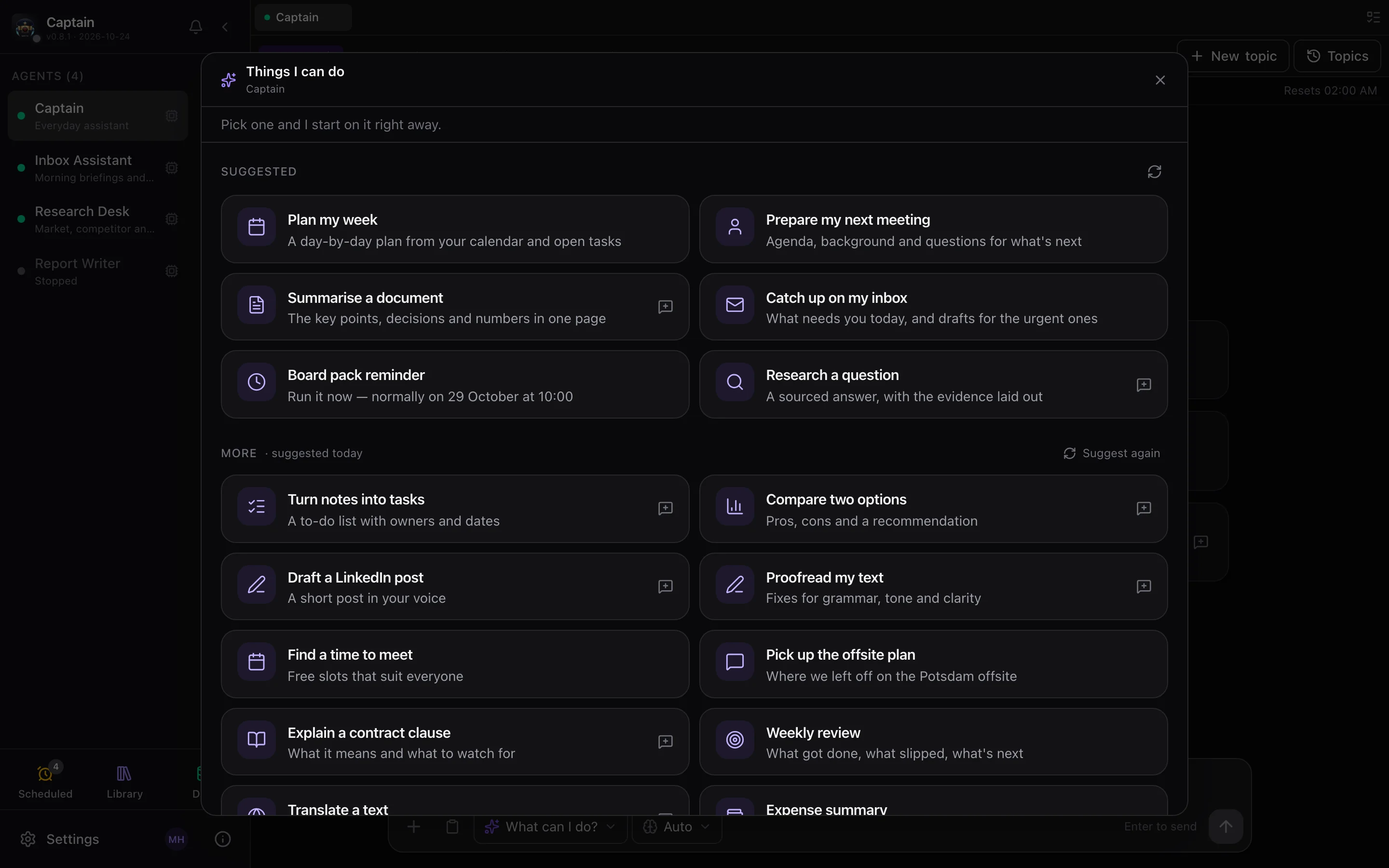
"What can I do?" skill cards File & Data libraries Scheduled tasks Taskboard Onboarding Forge agents Agent groups, with pins Shared folders Your own AI keys Share on network

An admin decides who gets it: everyone, selected users, or new users by default.
deck.example.com
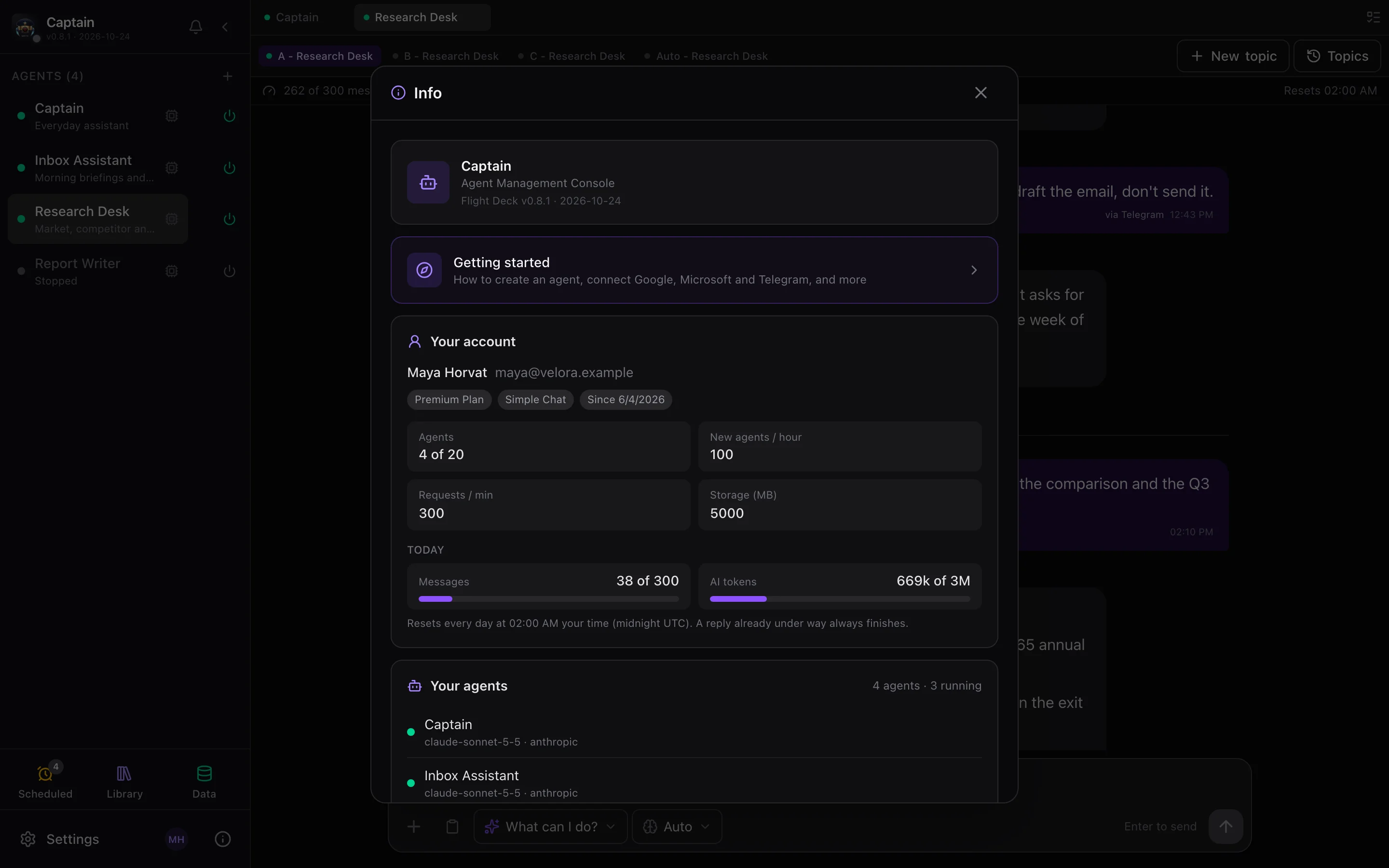
The kiosk: an agent greets Maya with skill cards; Scheduled, Library and Data tiles
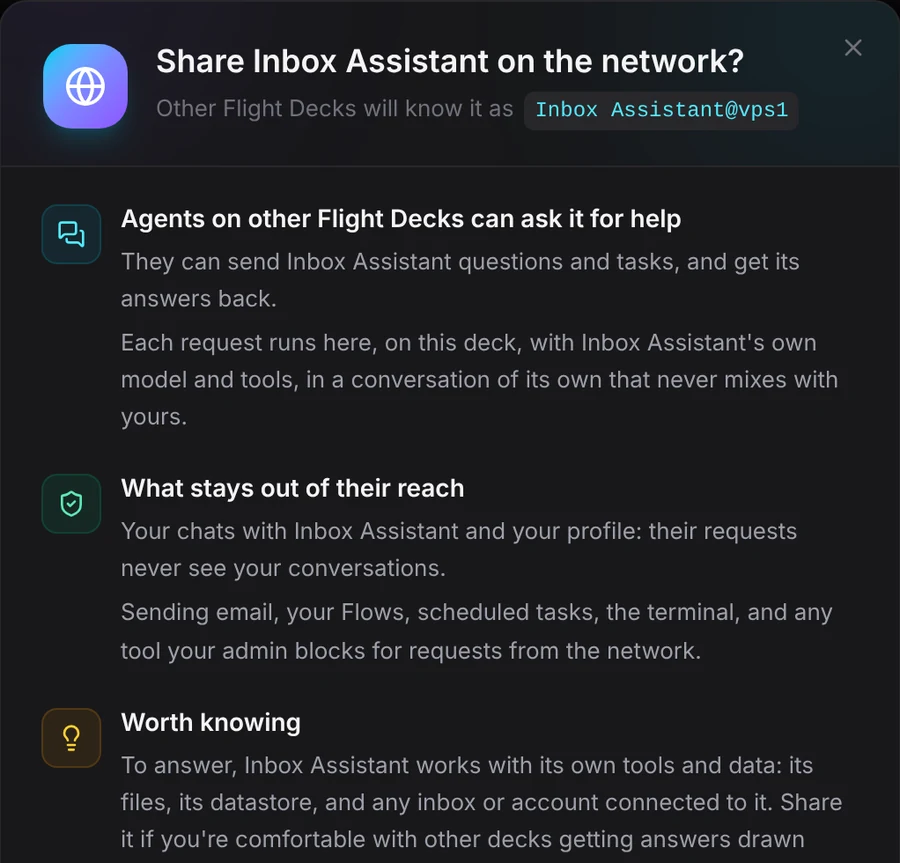
Share Inbox Assistant on the network? What other decks can do with it, and what stays out of their reach
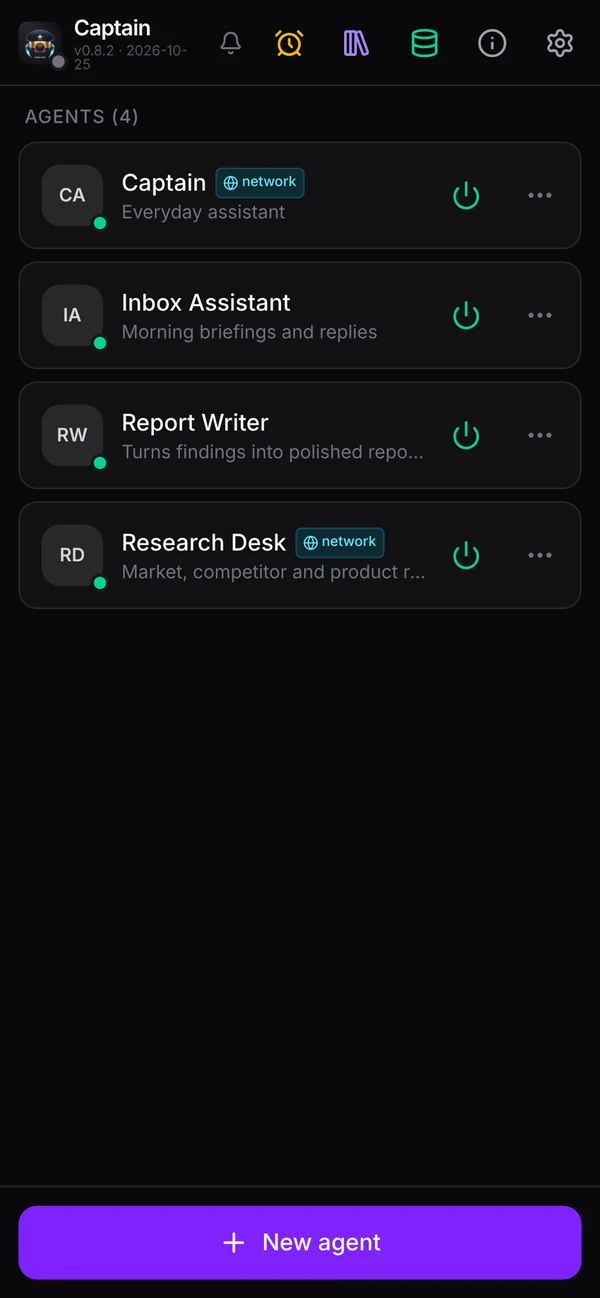
The kiosk on a phone: four agents, two shared on the network
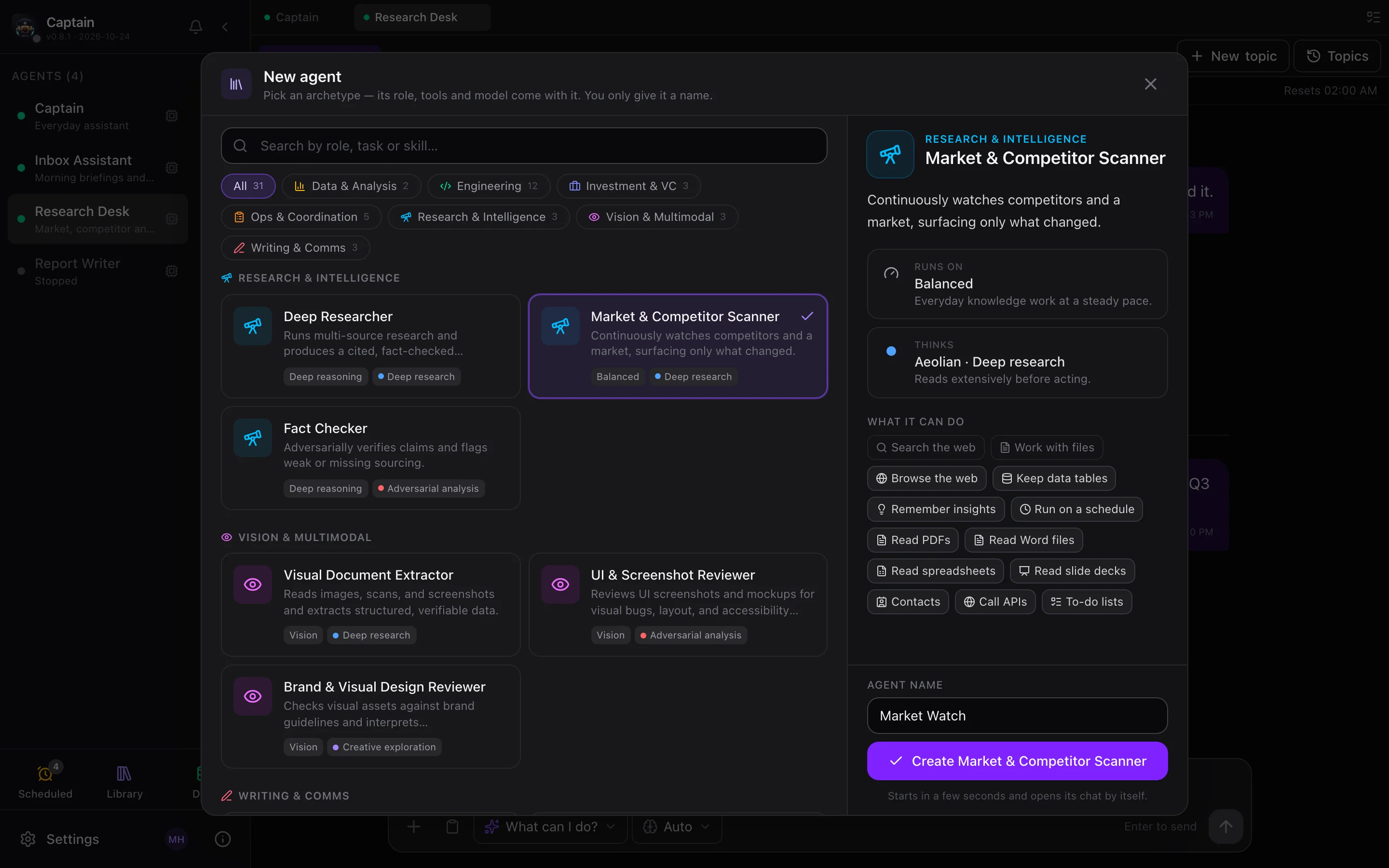
A guide on the first visitSkill cards that ask for a file or a picture firstUp to 22 cards per agentA reasoning-effort picker per modelAllowance bar: messages and tokens left todayA phone layout of its ownAn archetype gallery for new agentsA Files menu in the composerInsert now for a queued messageCompact cards for automated results
File library

Every file your agents made — summarised, sorted, searchable

Flight Deck reads every file your agents keep, stopped agents too, and writes a title, a short summary, a category and tags. Pictures are described by a model that can see; recordings and videos are transcribed and summarised.

  • Search through names, summaries, the text inside and what's said in recordings.
  • Preview a picture, a player, a PDF's first page, rendered Markdown, a table or code.
  • Act on it — open, download, edit, present as a deck, publish a public link, or hand it back to the agent.
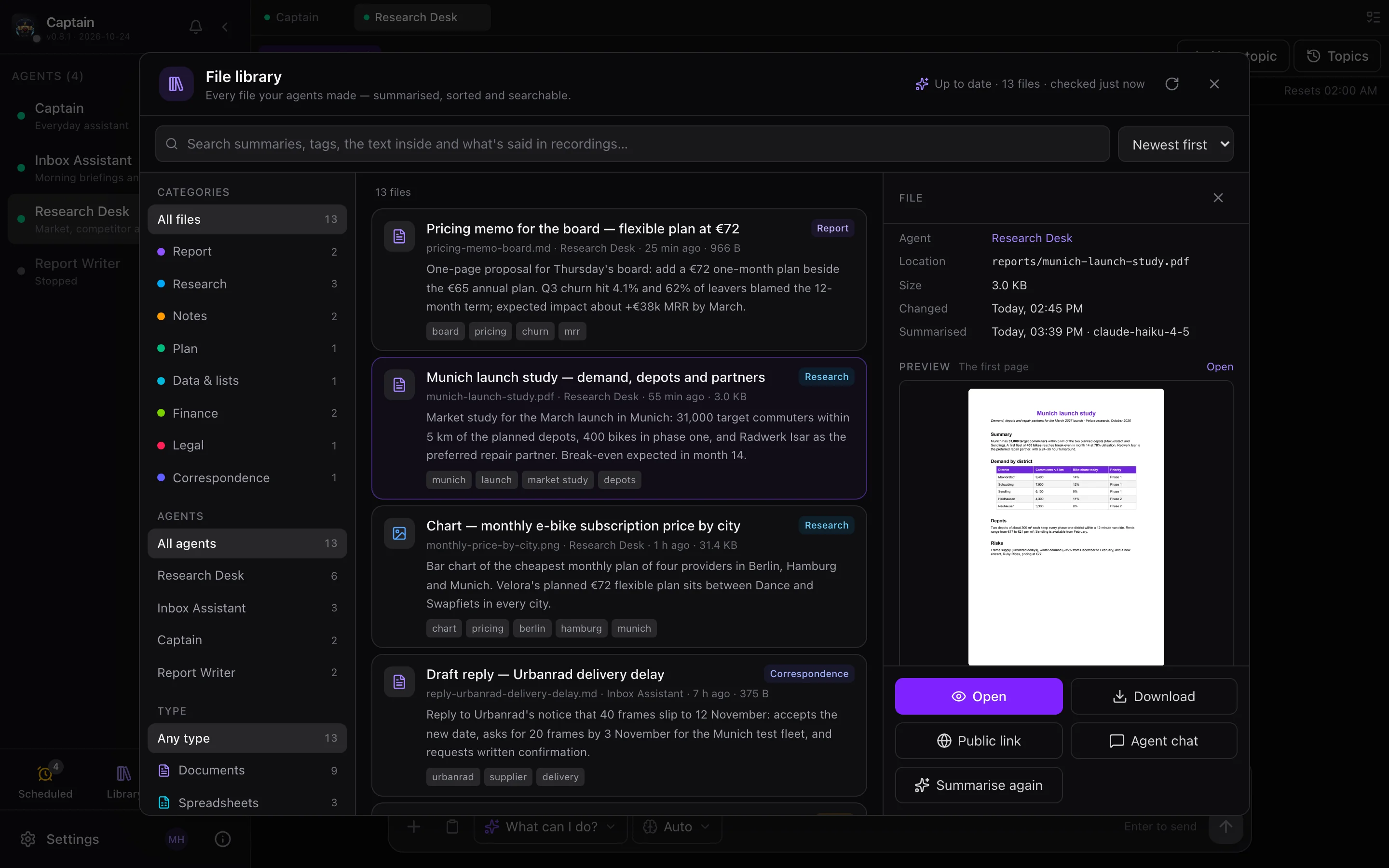
File library: categories and agent filters, summarised file cards, and a market study PDF selected with its first page previewed and Open, Download, Public link, Agent chat and Summarise again buttons
Thirteen files from four agents, each with a summary — and the PDF's first page in the preview
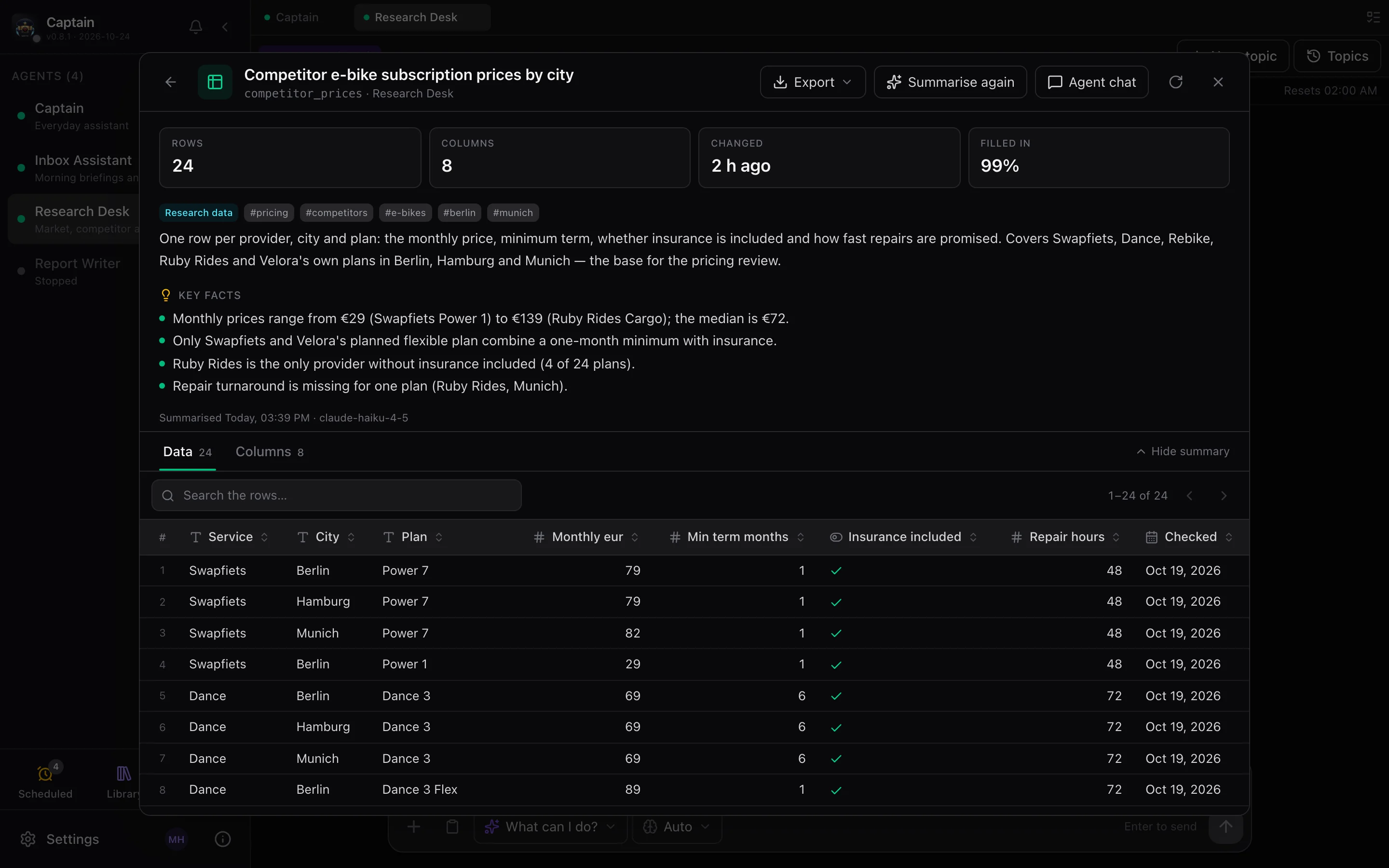
Data library: a datastore table with stat tiles (24 rows, 8 columns, 99% filled), category and tags, a written summary, key facts, and the live data grid
A table, profiled and summarised, over its live rows
Data library

The tables your agents keep, explained

Every datastore table gets each column profiled — how full it is, ranges, sums, dates, the most common values — and a title, summary and key facts written from that profile. Below it, the rows themselves: readable headers, clickable links and emails, formatted numbers, a record panel per row.

Export as CSV (formula-safe), JSON or XLSX.

Scheduled tasks

Your agents on a timer, delivering where you are

A prompt, an agent and a schedule — every day at 08:00, weekdays, Mondays and Wednesdays — in your own time zone. The result goes to the agent's chat, your own Gmail or Outlook, and Telegram.

  • A session per task, so this morning's briefing knows yesterday's.
  • Every run logged with its result and each delivery's outcome, searchable.
  • Continue in chat picks up any run as a conversation.
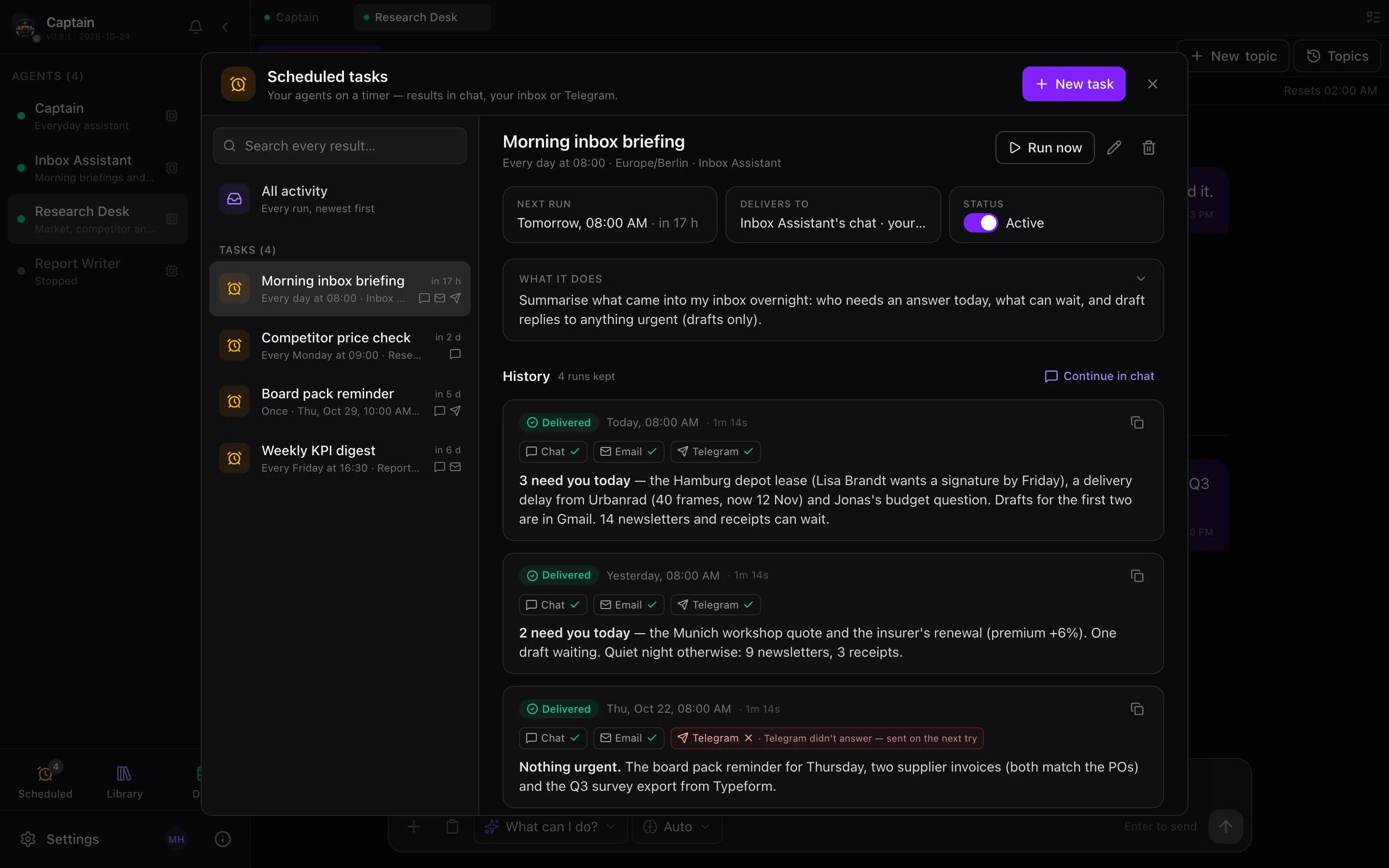
Scheduled tasks: four tasks listed; the Morning inbox briefing task with its next run, delivery targets and a run history with chat, email and Telegram delivery chips
A morning briefing, its next run, and where each run was delivered
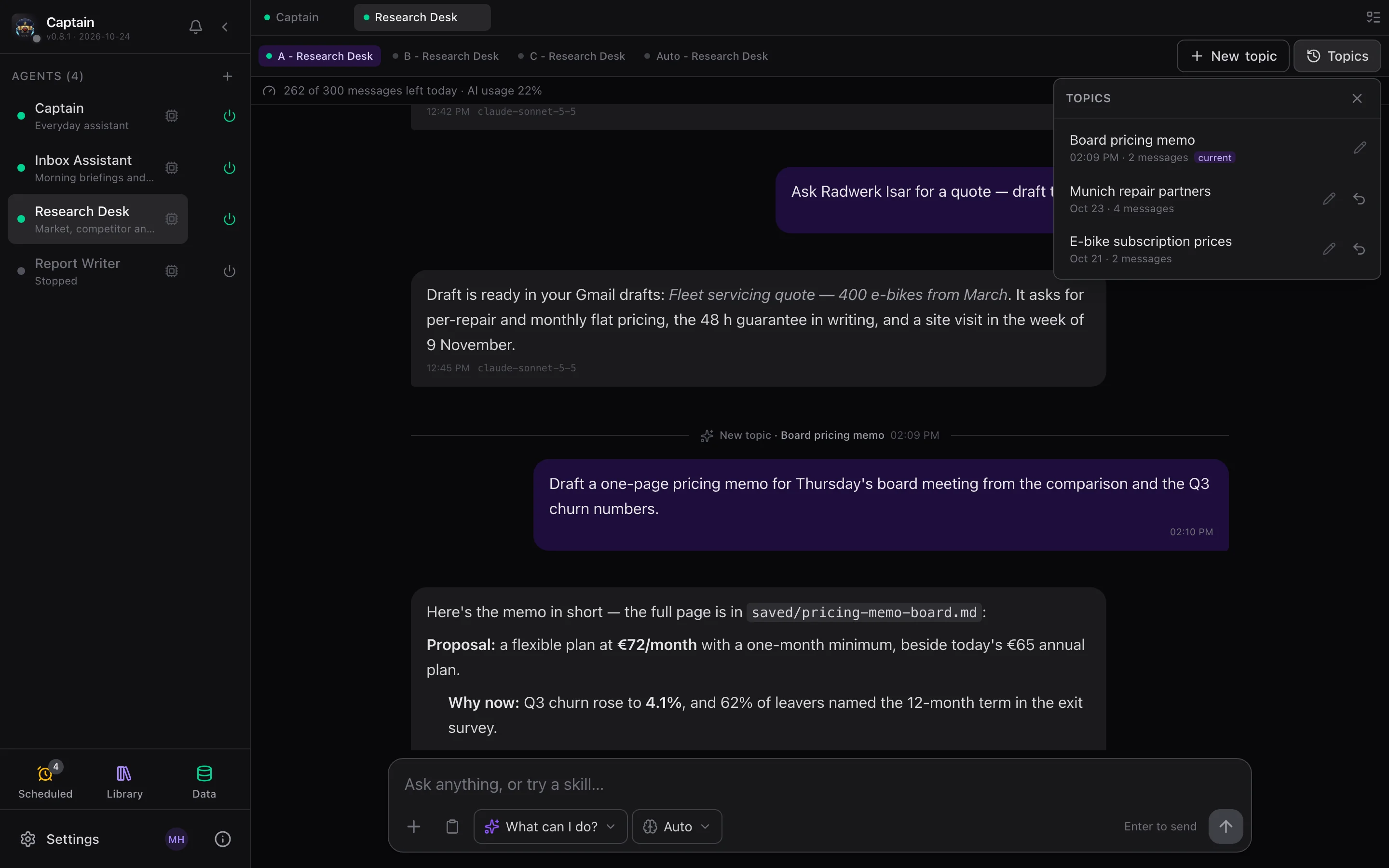
A chat timeline with a New topic divider and the Topics menu open, listing earlier topics with dates, message counts, rename and resume
One timeline per agent. New topic keeps the conversation and adds a divider the agent names; the Topics menu jumps back or resumes. Messages from other channels say where they came from — "via Telegram".
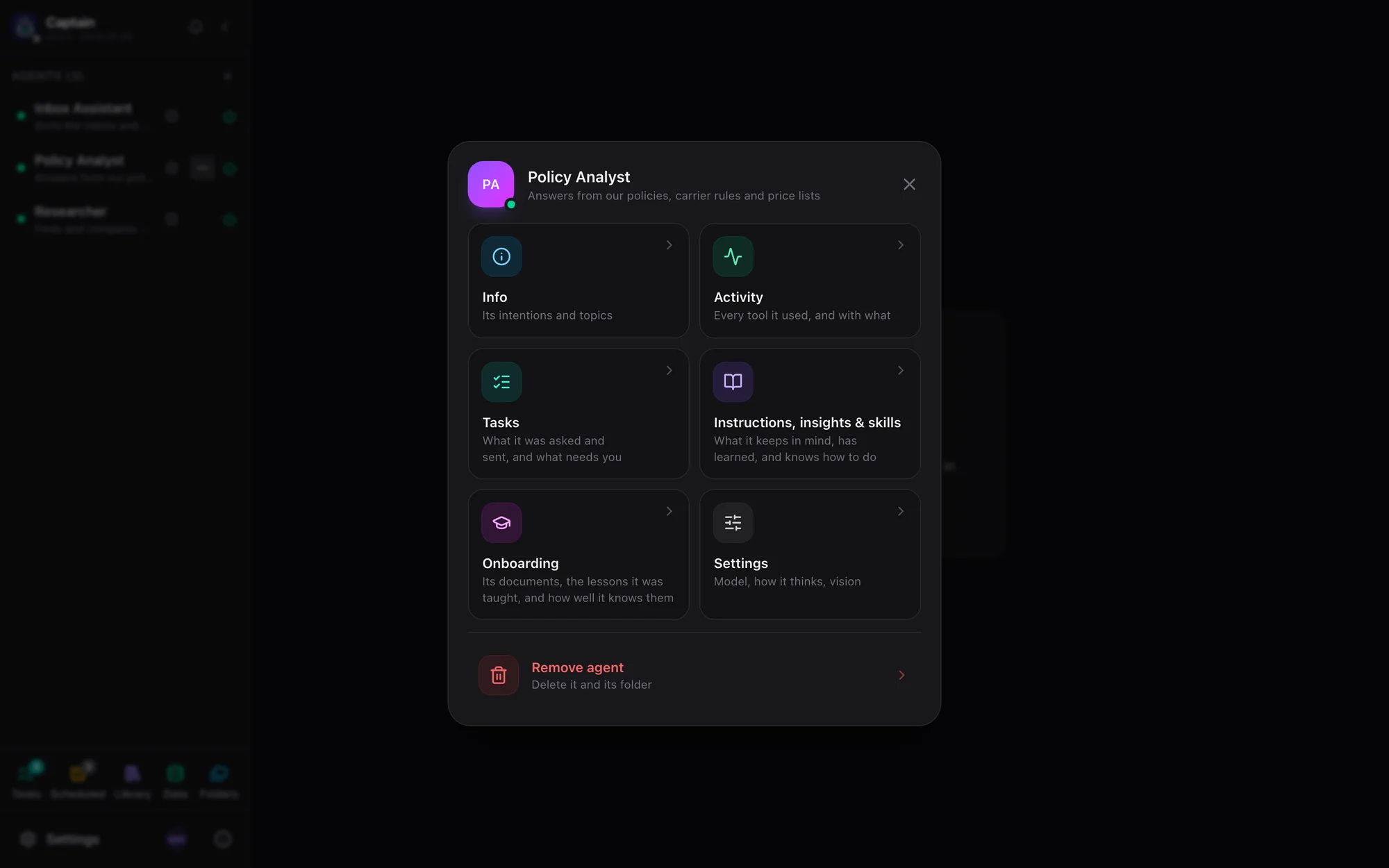
The agent menu over the kiosk: icon tiles for Info, Activity, Tasks, Instructions, insights and skills, Onboarding and Settings, with Remove agent set apart
Each agent, yours to tune. Its ⋯ opens a card of tiles: Info, Activity, Tasks, its instructions, insights and skills, Onboarding, and Settings for its model, vision, how it thinks and its reasoning effort.
The Things I can do dialog with suggested cards and more cards
"What can I do?" · More
New agent picker with family chips, archetype cards and a detail panel
New agent, from an archetype
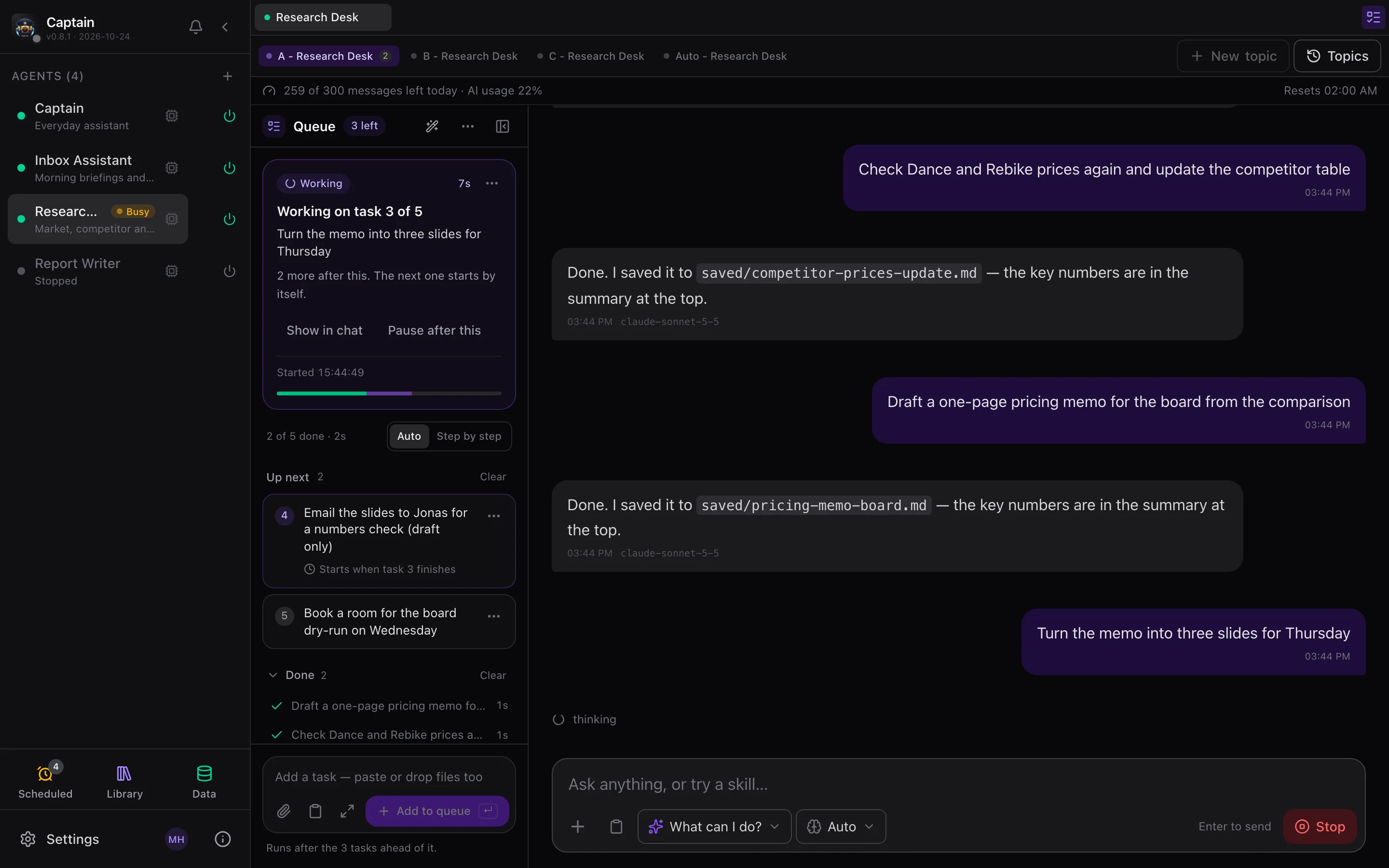
The redesigned message queue: working on task 3 of 5, Up next and Done
A queue you can read
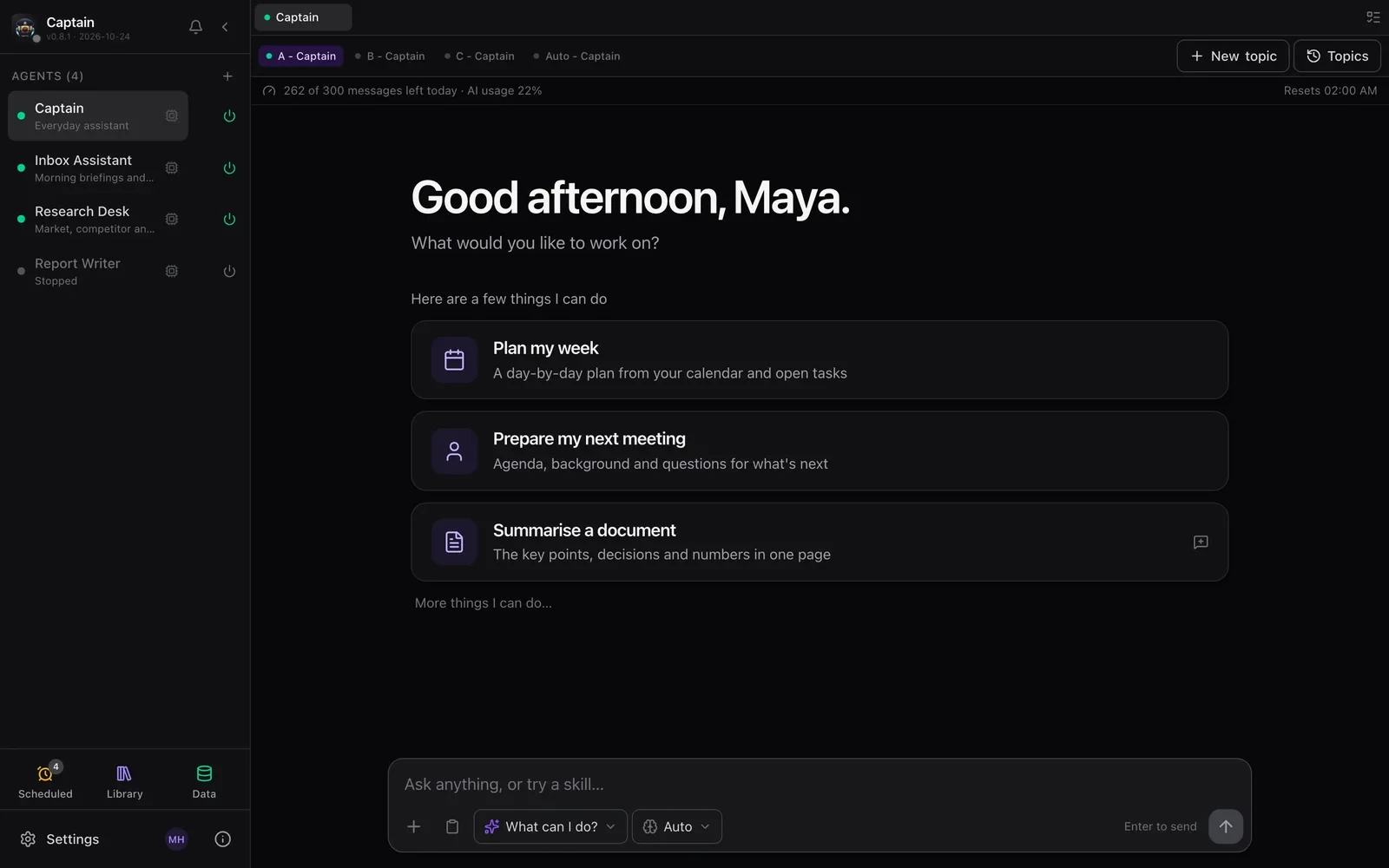
Info dialog: plan, limits and today's message and token meters
Info · plan and today's use

Screens from a demo deck with made-up people and data. Details in the kiosk docs.

Keep reading

Try it on real work.

Join the waitlist for Cohort 001, our first early-access group, and you'll get an email when you're in. Or run Captain on your own machine today.